
nn
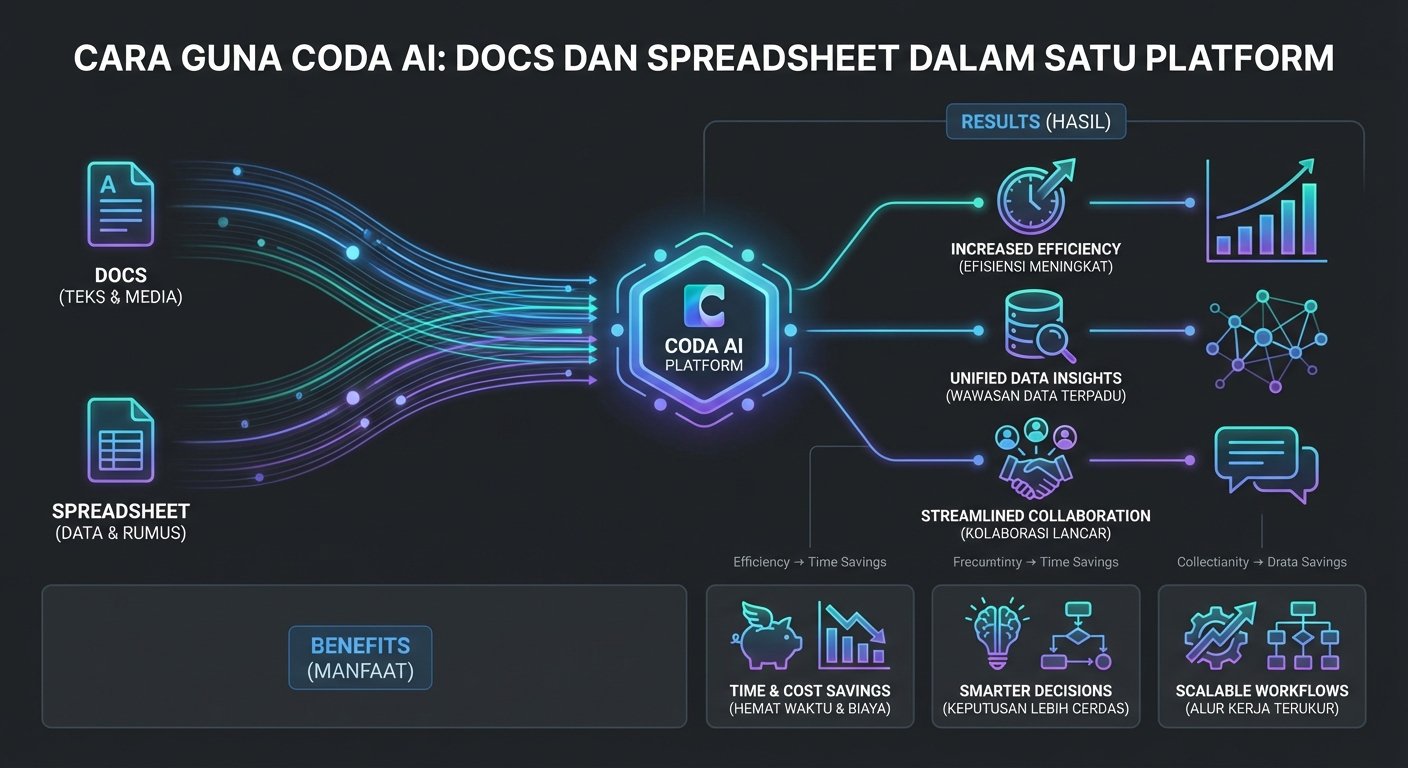
Bayangkan sebuah tool yang combine kekuatan Google Docs, Airtable, dan Notion dalam satu tempat — ditambah dengan AI yang boleh tulis, summarize, buat formula, dan automate workflows. Itulah Coda.
n
n
Pendedahan: Artikel ini mengandungi pautan affiliate. Jika anda mendaftar melalui pautan kami, kami mungkin menerima komisyen kecil — tanpa sebarang kos tambahan kepada anda. Ini membantu kami terus menghasilkan panduan percuma dalam Bahasa Melayu.
n
nnn
Coda adalah collaborative workspace yang blur garisan antara documents, spreadsheets, dan apps. Dengan tambahan Coda AI, workspace ini jadi lebih powerful — AI boleh draft content, explain data, suggest automations, dan bahkan buat calculations kompleks dengan natural language. Ketahui lebih lanjut di laman rasmi Coda.
nn
nn
Apa Itu Coda AI?
nn
Coda AI adalah collection of AI features yang integrate dalam setiap bahagian Coda — dari docs kepada tables kepada automations.
nn
Fungsi utama Coda AI:
nnnn
- n
- AI Write — generate content, summaries, dan draft text dalam docs
- AI in Tables — buat AI columns yang auto-process data dalam rows
- Formula AI — describe apa yang nak dikira dalam bahasa biasa, AI buat formula
- AI Summarize — condense long docs atau threads kepada key points
- AI Q&A — tanya soalan tentang content dalam doc, AI jawab berdasarkan context
- Automation AI — describe workflow yang nak di-automate, AI suggest atau buat automation
n
n
n
n
n
n
nn
Yang buat Coda AI unik:
n
- n
- Contextual — AI faham structure doc, tables, dan data anda
- Integrated — bukan chatbot yang berasingan, AI ada dalam semua features
- Flexible — boleh guna AI untuk writing, data, formula, automation — semua dalam satu tool
- Collaborative — team boleh guna AI features bersama dalam real-time
n
n
n
n
nn
SCREENSHOT: Coda doc menunjukkan AI panel yang terbuka di sebelah kanan — dengan prompt field di bawah, AI-generated content untuk section "Q3 Marketing Strategy" dalam panel, dan buttons Accept, Regenerate, Edit prompt — sementara main doc area menunjukkan table dan text yang already exist
nn
Siapa Sesuai Guna Coda AI?
nn
- n
- 📊 Operations team yang nak combine docs dan data dalam satu tempat
- 🎯 Product manager yang nak build product wikis, roadmaps, dan trackers
- 👥 Team lead yang nak create dynamic docs yang update automatik
- 🛠️ No-code builder yang nak create internal apps dengan AI
- 📋 Knowledge worker yang nak more powerful alternative to Notion
n
n
n
n
n
nn
nn
Plan dan Harga Coda AI 2026
nn
| Plan | Harga | AI Features |
|---|---|---|
| Free | $0 | Limited AI (500 AI requests) |
| Pro | $10/user/bulan | 5,000 AI requests/bulan |
| Team | $30/user/bulan | ✅ Unlimited AI + advanced features |
| Enterprise | Custom | ✅ Full + governance |
nn
Tip: Coda Free plan ada AI features dengan 500 requests — cukup untuk evaluate. Pro plan ($10/user/bulan) adalah value yang baik untuk individual power users. Team plan ($30/user) mahal tapi sesuai untuk teams yang heavily dependent on Coda sebagai main workspace.
nn
nn
Cara Setup Coda AI
nn
Langkah 1: Daftar Coda
nn
- n
- Pergi ke coda.io dan klik "Get started free"
- Daftar dengan Google atau email
- Coda akan ask tentang use case — pilih yang paling sesuai (Work, Personal, Team)
- Pilih template atau start blank doc
n
n
n
n
nn
Langkah 2: Buat Doc Pertama
nn
Coda workspace terdiri daripada Docs. Setiap doc boleh ada:
nnnn
- n
- Pages — sections dalam doc (macam chapters)
- Tables — structured data (macam spreadsheet)
- Views — different ways to view same table (list, calendar, kanban, gantt)
- Formulas — calculations dan automation logic
n
n
n
n
nn
Langkah 3: Access AI Features
nn
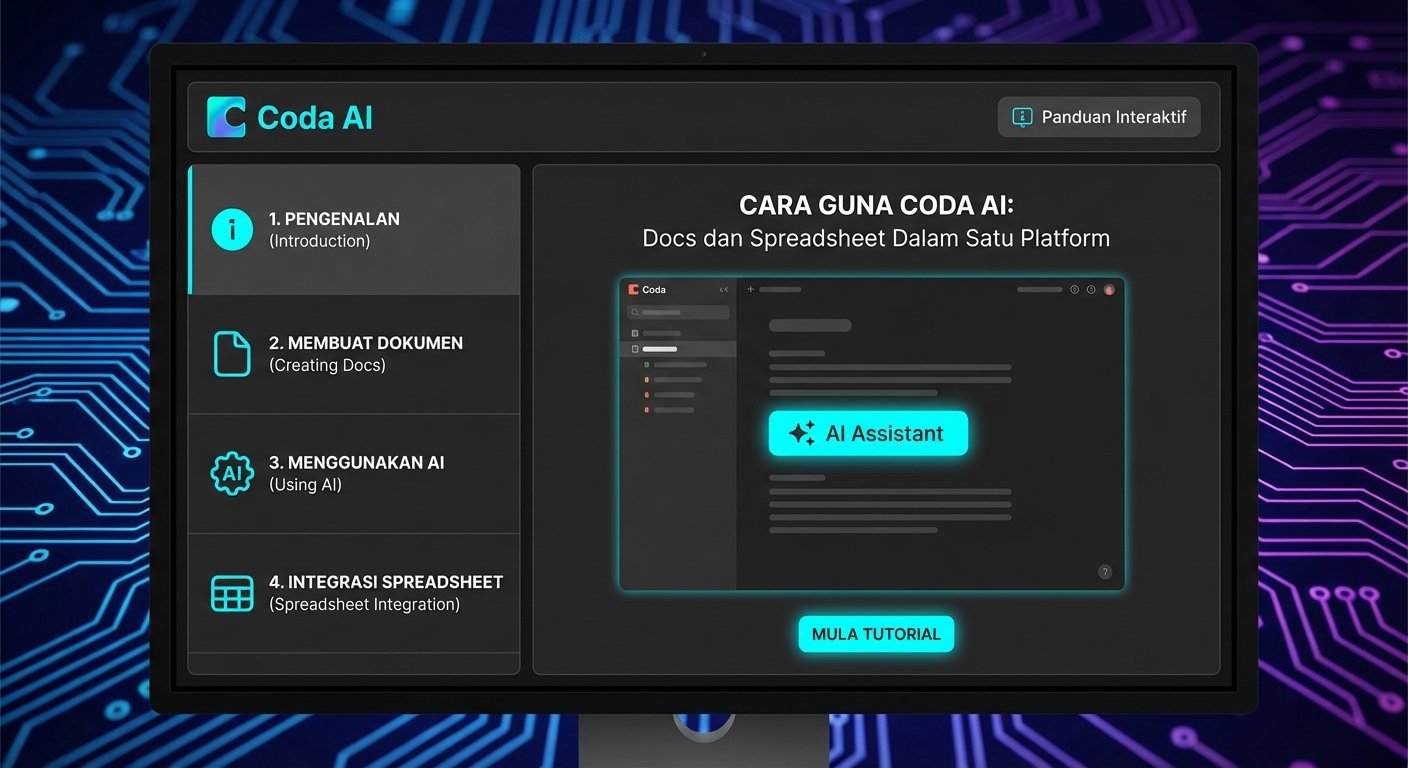
Coda AI boleh diakses dari beberapa cara:
nnn
nnn
- n
- Inline: Type
/dalam doc → pilih AI option - Selection: Select text → right-click → AI actions
- Table column: Add AI column dalam table
- Sidebar: Klik AI icon untuk open AI assistant panel
n
n
n
n
nn
nn
Cara Guna Coda AI Write
nn
Generate Content dari Scratch
nn
- n
- Dalam doc, click tempat yang nak ada content
- Type
/untuk open command menu - Select "AI: Generate text" atau "AI: Write"
- Type prompt: "Write an executive summary for a product launch plan targeting SMBs in Southeast Asia"
- AI generate content terus dalam doc
- Accept, edit, atau regenerate
n
n
n
n
n
n
nn
Improve Existing Content
nn
- n
- Select text yang nak di-improve
- Right-click → "AI actions"
- Pilih:
n
n
n
n
- "Improve writing" — fix grammar, clarity, flow
n
- "Make shorter" — condense tanpa lose key points
n
- "Change tone" — more formal, casual, atau professional
n
- "Translate" — translate ke bahasa lain
n
- n
- AI edit inline dan show changes
n
nn
Summarize Long Docs
nn
Bila ada doc yang panjang:
n
- n
- Scroll ke mana nak letak summary
- Type
/AI Summarize - AI scan seluruh doc dan generate summary
- Or select specific section untuk summarize bahagian tersebut sahaja
n
n
n
n
nn
SCREENSHOT: Coda doc dengan /AI menu terbuka — menunjukkan options: Generate text, Improve writing, Make shorter, Summarize page, Translate, Change tone — dengan cursor di option 'Summarize page' yang highlighted, dan preview doc dengan banyak text di belakang yang akan di-summarize
nn
nn
Cara Guna Coda AI dalam Tables
nn
Ini adalah feature paling powerful dalam Coda AI — AI columns yang process setiap row dalam table.
nn
Buat AI Column
nn
- n
- Dalam table, klik "+" untuk add column
- Pilih column type "AI"
- Configure AI column:
n
n
n
n
- Prompt: Describe apa yang AI patut buat untuk setiap row
n
- Reference columns: Pilih columns yang AI should consider
nnnn
- n
- AI akan auto-fill setiap row berdasarkan prompt
n
nn
Contoh Use Cases AI Columns:
nn
Sentiment Analysis untuk Customer Feedback:
n
- n
- Column: "Customer Review" (text)
- AI Column prompt: "Analyze the review in [Customer Review] and return: Positive, Neutral, or Negative"
- AI auto-classify every review
n
n
n
nn
Auto-Categorize Tasks:
n
- n
- Column: "Task Description" (text)
- AI Column prompt: "Based on [Task Description], categorize this as: Development, Design, Marketing, or Operations"
- AI auto-assign category
n
n
n
nn
Generate Email Subject Lines:
n
- n
- Column: "Email Content" (text)
- AI Column prompt: "Write a compelling email subject line for the email content in [Email Content]. Maximum 50 characters."
- AI generate subject line untuk setiap email draft
n
n
n
nn
Extract Key Information:
n
- n
- Column: "Meeting Notes" (text)
- AI Column prompt: "From [Meeting Notes], extract and list the action items only"
- AI pull action items dari setiap meeting notes
n
n
n
nn
nn
Cara Guna Formula AI dalam Coda
nn
Formula dalam Coda boleh complex. AI simplify proses ini.
nn
Natural Language ke Formula
nn
- n
- Klik dalam cell yang nak ada formula
- Type
=untuk start formula - Pilih "AI: Generate formula" option
- Describe apa yang nak dikira: "Sum all values in Revenue column where Status is 'Completed' and Date is in current month"
- AI generate formula yang betul:
n
n
n
n
n
n
n
=Filter([Revenue], [Status]="Completed" AND Month([Date])=Month(Now())).Sum()
n
n
- n
- Review dan apply
n
nn
Fix Formula Errors
nn
Bila ada formula error:
nnn
nnn
- n
- Click pada cell dengan error
- Coda AI akan auto-detect dan offer "Fix with AI" suggestion
- AI explain kenapa error berlaku
- AI suggest correct formula
- Accept fix dengan satu klik
n
n
n
n
n
nn
nn
Cara Guna Coda AI Q&A
nn
Bila ada doc yang panjang dan nak cari info specific:
nn
Ask Questions about Doc
nn
- n
- Highlight section atau page yang nak ditanya
- Right-click → "Ask AI about this"
- Type soalan: "What are the key risks mentioned in this section?"
- AI jawab berdasarkan content yang selected
n
n
n
n
nn
AI Assistant Panel
nn
- n
- Klik AI icon dalam sidebar
- AI panel terbuka dengan conversation interface
- Ask anything tentang doc:
n
n
n
n
- "What decisions were made in this document?"
n
- "Summarize the action items across all pages"
n
- "What is the main conclusion of this analysis?"
n
- n
- AI reference content dalam doc untuk answer
n
nn
SCREENSHOT: Coda table menunjukkan AI column yang sedang disetup — column settings panel di kanan showing prompt field dengan text 'Classify the sentiment of the review in [Customer Review] as: Positive, Neutral, or Negative' dan setiap row dalam table dah ada AI-generated sentiment label: Positive, Negative, Positive, Neutral dalam column AI
nn
nn
Tips Guna Coda AI Macam Pro
nn
1. Build AI-Powered Trackers
nn
Combine tables dengan AI columns untuk powerful trackers:
n
- n
- Content calendar: AI column yang suggest best posting time berdasarkan content type
- Lead tracker: AI column yang score leads berdasarkan description
- Project tracker: AI column yang flag at-risk tasks berdasarkan notes dan deadline
n
n
n
nn
2. Create Templates dengan AI Placeholders
nn
Buat doc templates untuk processes yang berulang:
n
- n
- Buat template dengan AI blocks yang auto-fill bila template digunakan
- Contoh: "Meeting notes template" dengan AI block yang auto-generate summary dan action items bila content diisi
- Share template dengan team
n
n
n
nn
3. Use Coda Packs untuk External Data
nn
Coda Packs connect Coda dengan external tools:
n
- n
- GitHub Pack — pull GitHub issues terus ke Coda table
- Jira Pack — sync Jira tickets
- Salesforce Pack — CRM data dalam Coda
- Then guna AI columns untuk analyze dan categorize data dari external sources
n
n
n
n
nn
4. Combine dengan [Notion AI](/cara-guna-notion-ai/) untuk Different Use Cases
nn
Pattern yang ramai teams guna:
n
- n
- Coda: Complex databases, trackers, internal apps yang perlu heavy formula dan automation
- Notion: Documentation, wikis, knowledge base yang lebih text-heavy
n
n
nn
Kedua-dua tools ada AI, tapi Coda lebih powerful untuk data-heavy use cases sementara Notion lebih clean untuk pure documentation.
nn
5. Automate Repetitive Tasks dengan Automations
nn
Coda ada built-in automation builder. Guna AI untuk create automations:
n
- n
- Settings → Automations → "New automation"
- Describe apa yang nak berlaku: "When a new row is added to Customer Feedback table, send me a Slack notification with AI-generated summary of the feedback"
- AI suggest automation steps
- Configure triggers, conditions, dan actions
n
n
n
n
nn
6. Guna Views untuk Different Perspectives
nn
Same data, different views:
n
- n
- Table view — standard rows dan columns untuk data management
- Card view — Kanban-style cards untuk project tracking
- Calendar view — timeline untuk scheduling
- Chart view — visualizations untuk reporting
n
n
n
n
nn
AI boleh generate insights berdasarkan view yang aktif.
nn
nn
Coda vs Notion vs Airtable
nnn
nnn
| Feature | Coda | Notion | Airtable |
|---|---|---|---|
| Database power | ⭐⭐⭐⭐⭐ | ⭐⭐⭐⭐ | ⭐⭐⭐⭐⭐ |
| Doc writing | ⭐⭐⭐⭐ | ⭐⭐⭐⭐⭐ | ⭐⭐ |
| AI features | ⭐⭐⭐⭐ | ⭐⭐⭐⭐ | ⭐⭐⭐ |
| Formulas | ⭐⭐⭐⭐⭐ | ⭐⭐ | ⭐⭐⭐⭐ |
| Free plan | ✅ | ✅ | ✅ |
| Price (AI) | $10-30/user | $16/user | $20/user |
nn
Pilih Coda kalau: Anda nak build internal tools dan trackers yang complex dengan strong formula engine. Coda adalah paling powerful untuk data-driven workflows.
nn
Pilih Notion kalau: Team anda fokus pada knowledge management, wikis, dan documentation. Notion lebih clean untuk text-heavy content.
nn
Pilih Airtable kalau: Anda nak pure database dengan spreadsheet familiarity dan strong integrations — lebih focused pada data management tanpa doc features.
nn
nn
Soalan Lazim (FAQ)
nn
Adakah Coda AI percuma?
n
Ya — Free plan ada 500 AI requests sebulan. Cukup untuk evaluate dan guna secara terhad. Pro plan ($10/user/bulan) ada 5,000 requests dan Team plan ada unlimited AI.
nn
Coda vs Google Sheets — mana lebih baik?
n
Bergantung pada use case. Google Sheets adalah lebih familiar dan integrate dengan Google Workspace. Coda lebih powerful untuk complex apps dan bila perlu combine docs dengan data. Coda AI column features adalah unik dan tidak ada dalam Sheets.
nn
Boleh ke Coda import dari Notion atau Airtable?
n
Ya — Coda ada native importers untuk Notion, Airtable, Google Sheets, Excel, dan CSV. Migration biasanya straightforward untuk data tables, tapi complex nested Notion pages perlu some manual restructuring.
nn
Coda sesuai untuk non-technical users?
n
Formula Coda lebih complex dari Notion tapi AI sangat membantu — boleh describe apa yang nak dikira dalam bahasa biasa dan AI generate formula. Untuk basic use cases, non-technical users boleh guna Coda dengan selesa. Untuk complex formulas dan automations, mungkin perlu sedikit learning curve.
nn
Adakah Coda integrate dengan tools lain?
n
Ya — Coda ada 600+ integrations via Packs termasuk Slack, Google Workspace, GitHub, Jira, Salesforce, dan banyak lagi. Boleh juga connect via Zapier atau Make.com untuk lebih banyak automation options.
nn
nn
Kesimpulan
nn
Coda AI adalah pilihan yang kuat untuk teams yang nak more than just a document tool — bila anda perlu combine writing, data management, dan app-building dalam satu workspace dengan AI yang boleh process semua tiga aspek tersebut.
nn
Cuba free plan sekarang — daftar Coda, buat satu table dengan data yang anda ada (boleh import dari Google Sheets), tambah satu AI column untuk classify atau analyze data tersebut, dan tengok AI bekerja pada semua rows serentak. Pengalaman ini biasanya convincing untuk teams yang process lots of structured data.
nn
Untuk documentation yang lebih text-heavy dan knowledge management, Notion AI adalah alternative yang kuat. Untuk automate connections antara Coda dan tools lain, Make.com atau Zapier AI adalah complement yang sangat useful.
nn
nn
💼 Rekomendasi: Copy.ai
n
Nak tulis iklan, deskripsi produk, atau skrip jualan lebih cepat? Copy.ai ada 90+ template copywriting yang dah dioptimumkan untuk conversion. Mula percuma — tanpa kad kredit.
n
n
n
n
Artikel Berkaitan
n
- Cara Guna Claude AI di Malaysia
- Cara Guna Google Gemini — Panduan Terkini
- Cara Guna ChatGPT Malaysia 2026 — Panduan Lengkap
- Cara Guna Gemini AI Malaysia 2026 — Panduan Lengkap
n
Rujukan
n
- n
- MDEC — Ekonomi Digital Malaysia
- BERNAMA — Berita Teknologi & AI Malaysia
- SME Corp Malaysia — Panduan Digitalisasi PKS
n
n
n
n
Artikel Berkaitan
nn
- n
- Cara Guna Notion AI: Tulis, Ringkas, dan Organize dengan AI (2026)
- Cara Guna Asana AI: Automate Project Management dengan AI (2026)
- Cara Guna ClickUp AI: Manage Projects dengan AI (2026)
- Cara Guna Airtable AI: Database Pintar dengan AI (2026)
- Cara Guna Make.com: Automasi Workflow Visual Tanpa Kod (2026)
- Cara Guna Zapier AI: Automasi Kerja dengan AI (2026)
- Cara Guna Slack AI: Summarize dan Cari Maklumat Pantas (2026)
- Cara Guna ChatGPT: Panduan Lengkap untuk Pemula Malaysia (2026)
- Cara Guna Obsidian AI: Note-Taking dan Second Brain (2026)
n
n
n
n
n
n
n
n
n